Setting up a Shopify store is mostly configuration, not code — but the order you do it in, and the handful of steps people skip, are what separate a smooth launch from a store that quietly loses money on shipping or tax for months before anyone notices. This is the setup and launch sequence in order, with the decisions that actually matter flagged as you reach them.
The short answer for 2027: a store on a stock theme with a standard catalogue takes one to two weeks of focused work. The order is plan, domain, theme, products, payments, tax and shipping, policies, analytics, then a full test order. Four things are new for stores setting up in 2027, and they are easier to get right on day one than to fix later:
- Choose apps that don’t depend on script tags, which Shopify stops loading on 1 March 2027.
- Use new customer accounts. The legacy version is deprecated.
- Decide how your products appear in AI shopping channels such as ChatGPT, Copilot and Google AI Mode.
- Upload product images large enough for Google Shopping’s new minimum.
Updated 8 November 2026 for 2027: current plan prices, the platform changes above, and an extended pre-launch checklist.
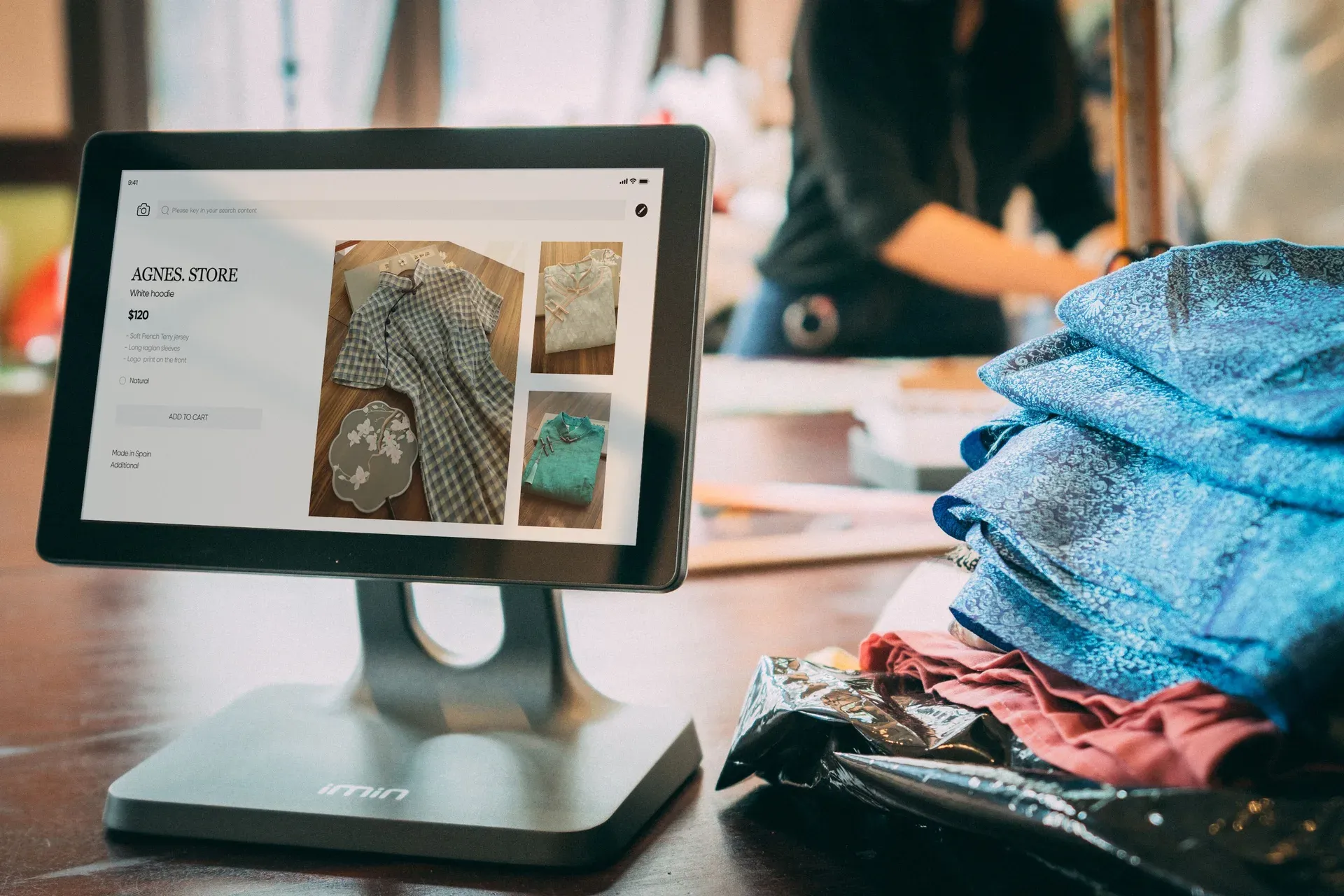
Self-fulfilled orders start at a desk like this, so decide your fulfillment model before launch.
Is Shopify right for you?
Shopify fits best when you need a dedicated online store with checkout, inventory and order management built in, and you’d rather configure a proven platform than assemble one from plugins. It’s a weaker fit if your primary need is a marketing site with no transactions, or if you need extremely deep, code-level control over every part of checkout on a lower-tier plan — checkout customization beyond Shopify’s built-in options is a Shopify Plus feature (see the plans table below).
For the platform-versus-platform question specifically — Shopify vs. WooCommerce, or Shopify vs. enterprise platforms like BigCommerce and Adobe Commerce — the comparison usually turns on who maintains the stack, not on feature checklists. WooCommerce trades hosting, security patching and plugin-compatibility work for near-total control of the code. The enterprise platforms trade a much higher floor price for the B2B, multi-region and catalogue depth Shopify only reaches on Plus. If none of those three trades describes a constraint you actually have, Shopify’s defaults are the cheaper answer and the rest of this guide applies.

Website vs. online store: which do you actually need?
“Website” and “online store” get used interchangeably, but they’re different builds with different tools:
| A website | An online store | |
|---|---|---|
| Primary job | Inform, capture leads, book calls | Sell products, take payment, manage inventory |
| Typical platform | Squarespace, Webflow, a marketing CMS | Shopify, or a website builder’s bolt-on store |
| Checkout | None, or a link out to a separate cart | Native, PCI-compliant checkout |
| Inventory/orders | Not applicable | Core requirement |
| Right choice when | You sell a service, or products through another channel entirely | You sell physical or digital products directly to a buyer online |
If you’re selling products directly and expect to manage inventory, shipping and repeat orders, you need an online store, not a website with a “buy now” button bolted on — that distinction is what the rest of this guide assumes.
Shopify plans, costs and timeline
Shopify’s US plans as listed in November 2026 (always confirm against shopify.com/pricing before committing, since pricing changes):
| Plan | Monthly billing | Annual billing | Online card rate (Shopify Payments) | Staff accounts |
|---|---|---|---|---|
| Basic | $39/mo | $29/mo | 2.9% + 30¢ | 2 |
| Grow | $105/mo | $79 or $89/mo* | 2.7% + 30¢ | 5 |
| Advanced | $399/mo | $299 or $359/mo* | 2.5% + 30¢ | 15 |
| Plus | from $2,300/mo (3-year term) | — | 2.25% + 30¢ | Unlimited |
*Since October 2026, Shopify’s pricing page has shown different visitors different annual prices for Grow and Advanced. That looks like a price test, so check the price you are actually offered.
The card rates above are for standard cards. Premium cards, such as business cards and Amex, cost 0.6 points more, and international cards 1 point more. Using a third-party payment processor instead of Shopify Payments adds an extra 2%, 1% or 0.6% per transaction on Basic, Grow and Advanced respectively (0.2% on Plus) — a real cost most first-time setup guides skip. Beyond the plan fee, budget for: a theme (free options are genuinely usable; paid themes run roughly $150–$350 one-time), any paid apps you add (recurring, often $10–$100+/month each — audit this list quarterly, it’s the most common source of setup-time cost creep), and a domain (roughly $10–$20/year if not already owned).
Timeline: a store with a stock theme, standard product catalog and no custom development can realistically launch in 1–2 weeks of focused work. Custom theme development, a large or complex catalog, or B2B/wholesale requirements extend that meaningfully — budget accordingly rather than assuming the fast case.

Account, domain and brand setup
- Create the Shopify account and select a plan (you can start on a lower tier and upgrade later — nothing here is a one-way door except a custom domain purchased through a third-party registrar, which is trivial to point at Shopify either way).
- Settings → Domains — connect an existing domain or buy one through Shopify. Point your DNS correctly before launch, not after; a same-day domain switch on launch day is an avoidable risk.
- Settings → General — store name, address, and the store currency, which is harder to change once orders exist. Get this right before you take a single order.
- Upload your logo and set your brand colors under Settings → Brand — this feeds your theme, email templates and favicon consistently rather than requiring you to set it in three places.
Theme and storefront architecture
Choose a theme based on your catalog structure and the customization you actually need, not on visual preference alone — a theme built for a 20-SKU brand doesn’t behave the same at 2,000 SKUs. Online Store → Themes is where you install, customize and preview themes before publishing. Plan your core pages before you start arranging sections: home, collection, product, cart, and any custom landing pages you know you’ll need at launch.
Two theme decisions matter more in 2027:
- Add apps through app embeds and app blocks. Shopify stops loading script tags, the older way apps added code, on 1 March 2027, so an app that still relies on them will stop showing on your storefront. When you install an app, check that it appears under App embeds in the theme editor. Our script tag guide explains the check.
- Avoid editing theme code where a section or custom Liquid block will do. Shopify notes that editing theme code takes the theme off its automatic upgrade path, so you stop getting the theme developer’s updates.

Products, collections and navigation
- Set up product types and vendors consistently from the first product you add — retrofitting a taxonomy across an existing catalog is significantly more work than starting with one.
- Decide your collection structure (manual vs. automated/rule-based) before bulk-importing products; automated collections built on tags or product type save ongoing manual work.
- Build navigation menus (Online Store → Navigation) around how customers actually shop your catalog, not your internal category structure — the same principle that applies to the CRO guide’s collection-page filtering advice.
- Write product descriptions that answer the specific hesitation your category creates (sizing, compatibility, ingredients) rather than generic copy — this is a launch-time decision, not a later optimization, because rewriting a full catalog post-launch is expensive.
Payments, tax, shipping, Markets and fulfillment
- Settings → Payments — activate Shopify Payments where available (lower rates, native checkout integration) or configure a third-party gateway. Test a real transaction before launch, not just the setup screen.
- Settings → Taxes and duties — tax obligations are jurisdiction-specific and change; configure your specific regions here and verify with a tax professional for your situation rather than treating any generic guide, including this one, as tax advice.
- Settings → Shipping and delivery — set zones, rates and any free-shipping thresholds. Decide flat-rate vs. calculated (carrier) rates based on your product weight/size variance; calculated rates avoid under- or over-charging on a catalog with meaningfully different package sizes.
- Settings → Markets — if you plan to sell internationally, Shopify Markets handles localized pricing, currency and duty/tax display per region from one product catalog rather than requiring separate stores.
- Decide your fulfillment model (self-fulfilled, 3PL, or a marketplace’s fulfillment program if you’re also selling on Amazon or similar) before launch — this affects your shipping rate configuration and your realistic delivery-time promises to customers.
Required legal and policy pages
Settings → Policies generates starting templates for refund policy, privacy policy, terms of service and shipping policy. Templates are a starting point, not a finished legal document — have them reviewed for your jurisdiction and business model before publishing, the same caveat this site applies to its own privacy and terms pages. Add clear contact information somewhere a customer can actually find it before checkout, not just in the footer.
Analytics, pixels, consent and Search Console
- Connect Shopify’s native analytics and, separately, GA4 if you want cross-platform reporting beyond Shopify’s own dashboard.
- Install conversion pixels (Meta, Google, TikTok, or whichever channels you plan to advertise on) before launch, not after your first campaign — retroactive pixel data doesn’t exist. Use each platform’s Shopify app where one exists. For your own tracking code, add a custom pixel under Settings → Customer events rather than pasting code into the theme. Custom pixels also cover checkout pages without editing theme code.
- Configure a consent banner appropriate to your regions if you serve visitors under GDPR, CCPA or similar frameworks — pixel and analytics loading generally needs to respect that consent state, not fire unconditionally. From 1 January 2027, California requires browsers to offer an opt-out signal (Global Privacy Control), so if California’s privacy law covers your store, make sure your consent setup honours it.
- Verify the domain in Google Search Console and submit your sitemap (Shopify generates one automatically at
/sitemap.xml) as one of your last pre-launch steps, so indexing starts as close to launch as possible.
SEO configuration
- Set unique page titles and meta descriptions for your core pages and top products before launch — this is cheap to do at setup time and expensive to retrofit across a large catalog later.
- Confirm your theme emits clean, semantic heading structure (one H1 per page) and that product images have real alt text, not filenames.
- Redirect any pre-launch URLs that changed during setup (Settings → Apps and sales channels → Online Store → Navigation → URL Redirects) so you don’t launch with broken links from your own pre-launch marketing.
Current Shopify features worth enabling
Shopify ships new features regularly — evaluate rather than assume every new capability applies to you, and check shopify.dev/changelog for what’s current before you launch:
- Shop Pay — Shopify’s accelerated checkout, generally worth enabling for the reduced-friction checkout it gives returning Shop Pay users.
- Shopify Inbox — native chat, useful pre- and post-purchase support without a third-party app.
- AI-assisted product descriptions and blog outlines — Shopify’s admin now includes AI tools that draft product copy referencing your existing catalog tone and generate blog outlines from your catalog and target topics; useful for first-draft speed, not a substitute for editing before publishing. Shopify’s AI store builder can also generate a starting store; our Shopify Canvas guide covers what it does and where it stops.
- AI shopping channels — under Sales channels → Agentic, Shopify manages which AI channels can show and sell your products: ChatGPT, Microsoft Copilot, Google AI Mode and Gemini, and Meta (Shopify’s overview). In Copilot, Google and Meta, eligible stores get a direct checkout inside the AI channel, switched on by default. ChatGPT sends shoppers to your own checkout. Subscription-only products can’t be sold through those direct checkouts, which our post on AI checkout and subscriptions explains. Clear, complete product data is what these channels read, so the product-description advice above applies twice.
- New customer accounts — Shopify deprecated legacy customer accounts in February 2026 and has said a final sunset date will follow. Start a new store on new customer accounts (Settings → Customer accounts) rather than migrating later. Many subscription and returns apps now require them.
Sales channels, including Amazon prerequisites
Beyond your Shopify storefront, most stores eventually add sales channels — Meta/Instagram Shopping, TikTok Shop, Google, or a marketplace like Amazon. If Amazon is part of your plan, the setup work is distinct enough to plan for separately rather than assuming it’s a one-click channel add:
- A separate, approved Amazon Seller Central account is a prerequisite — category approval for some product types happens on Amazon’s side, not Shopify’s, and can take longer than your Shopify setup itself.
- Catalog readiness: Amazon listings generally require GTIN/UPC identifiers per product (or an approved exemption); confirm you have valid identifiers before attempting a bulk catalog sync, since a failed sync at scale is harder to debug than a failed sync on one test product. Identifiers matter beyond Amazon, too. Since 1 November 2026, Shopify Shipping and Managed Markets labels for EU parcels under €150 need three product identifiers per item, and from 31 January 2027 Google Merchant Center enforces a 500×500 pixel minimum for product images. Fill in GTINs and upload images of at least 1500×1500 pixels from the first product.
- SKU and GTIN mapping between your Shopify catalog and Amazon’s listing requirements should be planned before the first sync, not fixed reactively — mismatched identifiers are one of the more common causes of listing rejections.
- Inventory sync — decide whether Amazon and Shopify draw from one shared inventory pool or separate allocations; shared pools reduce oversell risk but require the sync app to be reliable, so test it against a low-stakes SKU before trusting it on your full catalog.
- Fulfillment choice — Fulfilled by Amazon (FBA) versus fulfilling Amazon orders yourself (FBM) is a real operational decision with different cost and speed tradeoffs, not just a checkbox; decide before listing, since switching later means re-shipping inventory.
- Channel attribution — set up UTM or channel-level attribution before launch so you can actually tell whether a sale came from Shopify direct, Amazon, or another channel once you’re running more than one.
Full pre-launch QA checklist
- Test checkout end to end with a real payment method, on both desktop and mobile
- Every navigation link resolves — no placeholder or dead links
- Domain DNS fully propagated and SSL active (Shopify provisions this automatically once DNS is correct)
- Tax and shipping rates verified for every region you actually sell to
- Legal pages reviewed for your jurisdiction, not left as unedited Shopify templates
- Analytics and conversion pixels firing and verified in each platform’s own debug tool, not assumed from installation alone
- Search Console verified and sitemap submitted
- Password protection removed from the storefront before the actual launch moment
- At least one full order placed and refunded as a live test, not just a preview
- Mobile experience walked manually on a real device, not just a responsive-preview window
- Every storefront app switched on under App embeds in the theme editor, with none relying on script tags
- Product images at least 1500×1500 pixels, and GTINs filled in where your products have them
- New customer accounts switched on, and the account sign-in tested on mobile
- AI channel settings under Sales channels → Agentic reviewed, not left on defaults by accident

Launch-day procedure
Remove password protection at your planned launch time, not before — a store that’s technically live but not yet promoted is fine; a store that’s promoted before it’s actually ready is the failure mode worth avoiding. Monitor order notifications and payment processing closely for the first live orders specifically, since this is where a misconfigured tax or shipping rate shows up fastest. Have a rollback plan for anything that goes wrong that isn’t just “figure it out live” — know in advance how to re-enable password protection if something is seriously broken.
The first 30 days
Watch the same funnel described in the CRO playbook — landing, product view, cart, checkout — from day one rather than waiting for a “settled” baseline that never quite arrives. Fix any checkout or payment issues immediately; they’re not optimization work, they’re bugs. Everything else — page speed refinement, conversion tactics, expanded sales channels — is better sequenced after the store has proven it works end to end under real traffic.
When to hire a setup partner
Handle it yourself if you have the time to work through this sequence carefully and your catalog and requirements are straightforward. Bring in a partner when you need custom theme development beyond what a stock theme supports, when B2B/wholesale or multi-region complexity adds real technical risk to get wrong, or when your timeline doesn’t allow for the trial-and-error a first Shopify build usually involves. If you’d rather hand the whole sequence over, Vibhora’s Shopify store setup service does exactly this list at a fixed price, including migrations from Wix, WooCommerce, Etsy and Squarespace with every old URL redirected; the tiers and what each includes are on the setup pricing page. If the design needs more than a stock theme can do, that’s Shopify Theme Development, and if the store is already live but not selling, start with the Website & App Audit.
FAQs
How do I set up a Shopify store in 2027?
Choose a plan, connect a domain, pick a theme, add products and collections, then set up payments, tax, shipping and legal policies, analytics and SEO basics. Finish with a real test order on a phone. New for 2027: use apps that load through app embeds rather than script tags, switch on new customer accounts, review the AI sales channels, and upload product images of at least 1500×1500 pixels.
How much does it actually cost to run a Shopify store, beyond the plan fee?
In the US, Shopify’s plans cost $39, $105 or $399 a month billed monthly, less on annual billing. Beyond the monthly plan, budget for a theme (often free, or a one-time $150–$350 for a paid one), any recurring apps you add, payment processing fees (2.5–2.9% + 30¢ on Shopify Payments depending on plan, more if you use a third-party processor), and a domain if you don’t already own one. Audit your app subscriptions periodically — this is the most common source of ongoing cost creep after launch.
Do I need a developer to set up a Shopify store?
Not for a standard setup on a stock theme with a straightforward catalog — this guide’s sequence is designed to be done without code. Custom theme work, complex B2B logic, or deep checkout customization (Plus-tier) generally do need development help.
What’s the difference between Shopify Basic, Grow and Advanced?
Primarily staff account limits, card processing rates, and reporting/shipping features — Advanced adds custom reports and third-party calculated shipping rates that Basic and Grow don’t include. Most single-operator stores start on Basic or Grow and upgrade once staff count or reporting needs outgrow the lower tier.
Should I launch on Shopify Payments or a third-party processor?
Shopify Payments generally gives the lower blended rate and the tightest checkout integration; a third-party processor adds an extra fee on top of your plan’s card rate specifically for not using Shopify Payments. Use a third-party processor only when you have a specific reason to (an existing merchant relationship, a processor with a feature Shopify Payments doesn’t support in your region).
How long does a Shopify launch actually take?
A store on a stock theme with a standard catalog and no custom development can launch in 1–2 weeks of focused setup work. Custom theme development, a large catalog, or multi-region/B2B requirements extend that — plan the timeline around your actual requirements, not the fastest possible case.
Written by Anita Das, Co-Founder
Anita Das is a co-founder of Vibhora, the Shopify and web studio that builds, fixes and grows online stores for small and growing brands.